
Turn any product into
a bookable service.
MySellStack Appointments is the booking calendar that lives in your theme. Customers pick a time and pay in your own checkout, while staff schedules, reminders, and confirmation emails run themselves.
This is the real widget. Go ahead, book something.
Not a video and not a mockup: the exact calendar your customers get, running right here. Switch the theme, pick a slot, finish a booking. Nothing is saved and no email is sent.
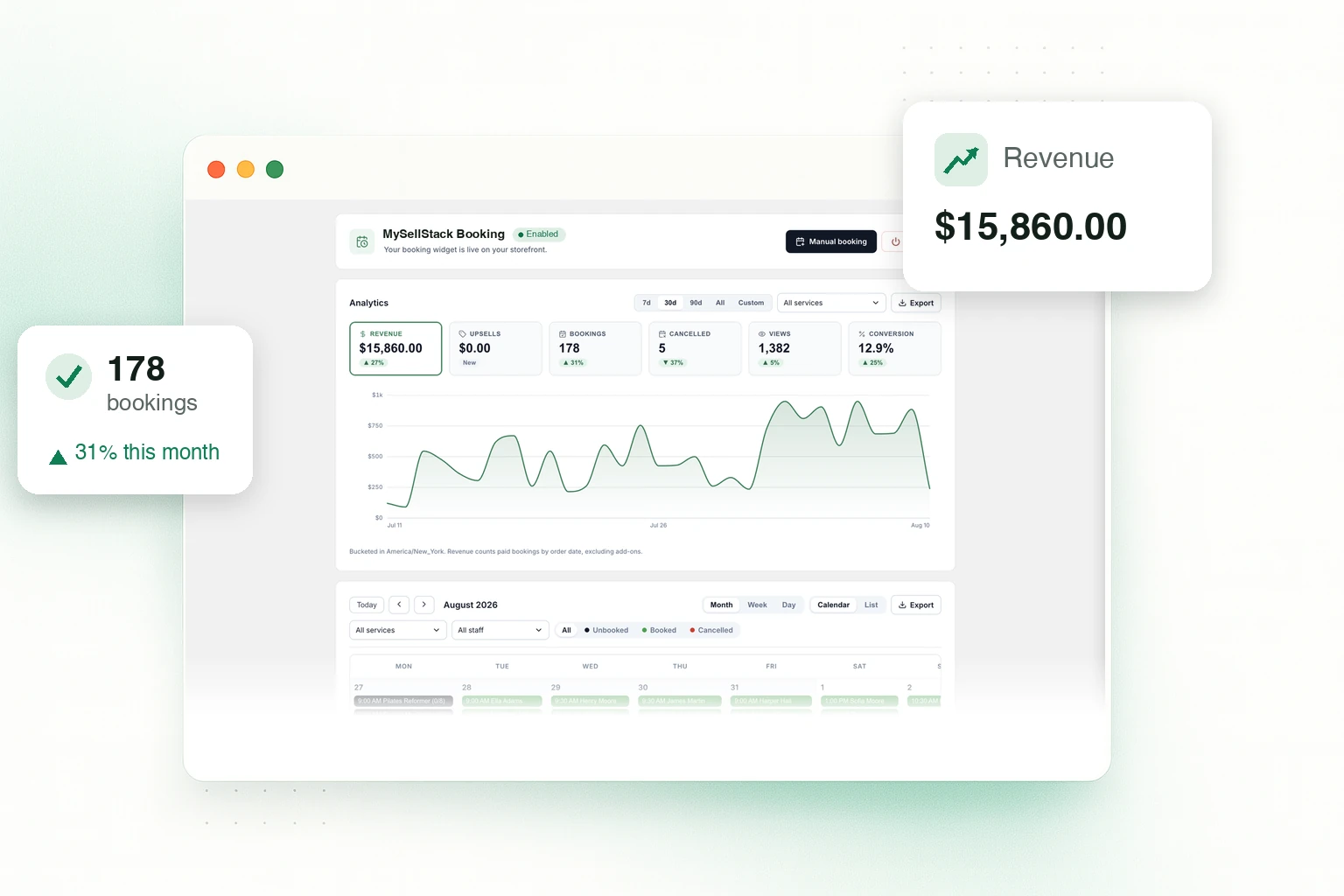
One calendar for the whole business
- Month, week, day, and list views across every service and staff member
- Revenue, bookings, and conversion at a glance
- Manual bookings for phone and walk-in customers
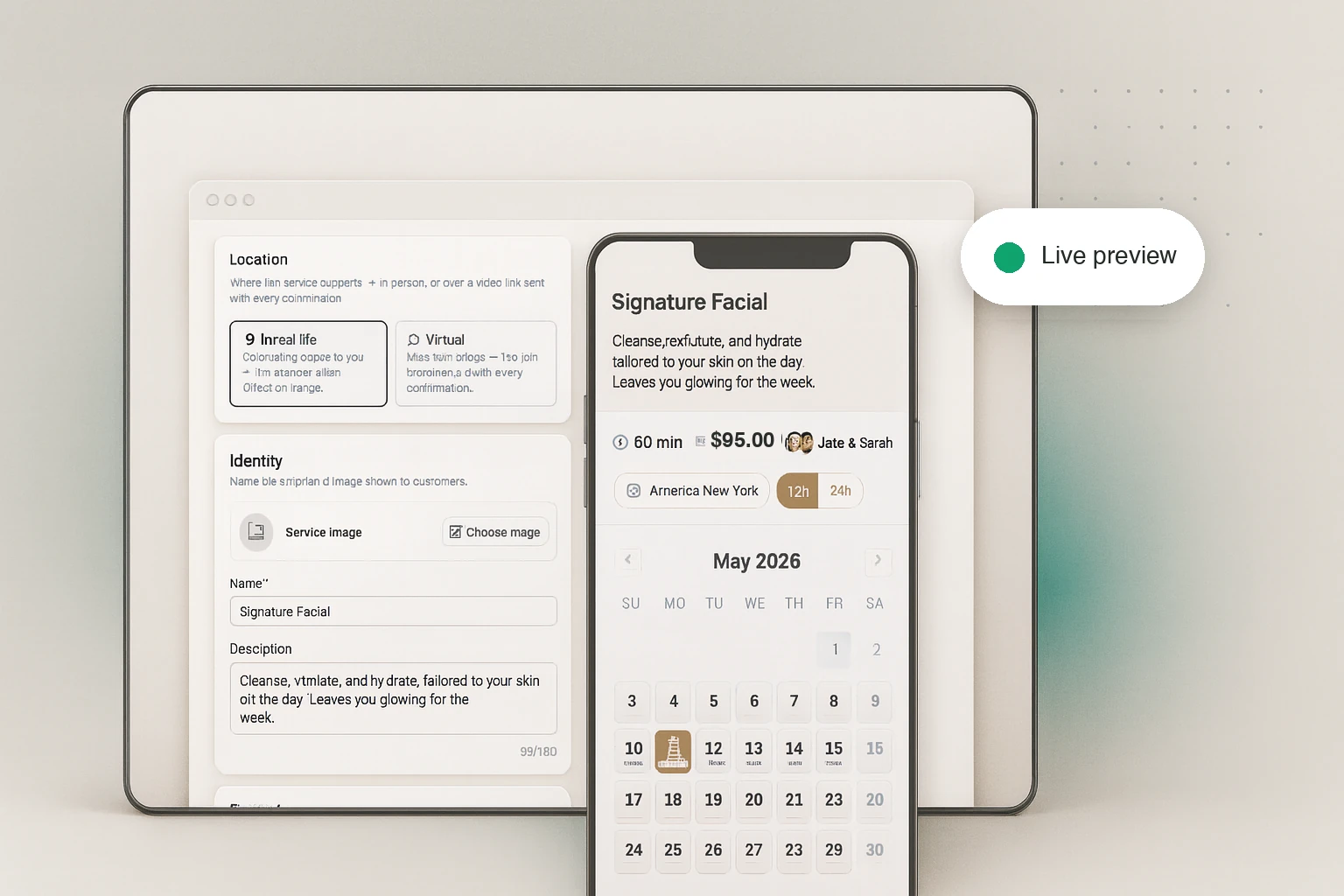
Edit with a live preview
- Every change shows instantly in a real widget preview
- Prices, staff, questions, and scheduling in one place
- Each service becomes a product in your store automatically
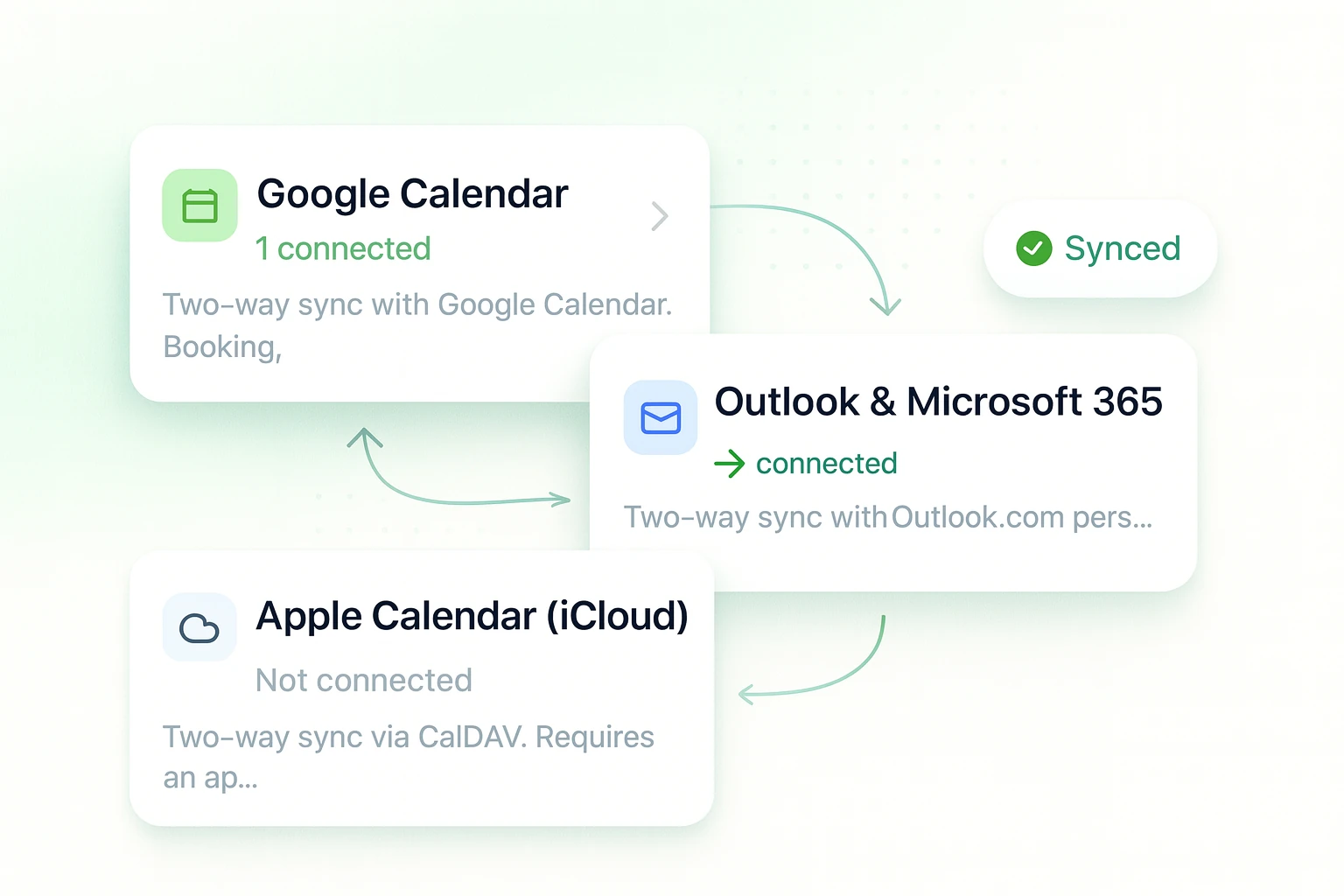
Your calendar stays the source of truth
- Connect Google, Outlook, or iCloud per staff member
- Virtual services get Meet or Teams links automatically
- You choose who wins when calendars disagree
The details are already handled
Salons, studios, clinics, classes, consultants. If it happens at an hour, it books here.
Selling time
Book from your theme
Pop-up, inline calendar, or a full services page. “Add to cart” becomes “Book now”.
Paid in your checkout
Paid bookings are normal Shopify orders, refunds included.
Free and pay-on-arrival
Skip payment entirely, or reserve now and collect at the venue.
Add-on upsells
Offer extras at booking time and watch them in analytics.
Running the schedule
Staff schedules
Personal hours, breaks, time off, and one-click weekly templates.
Group classes and events
Limited spots, fixed session times, and co-taught classes.
Blocked dates and holidays
Breaks, blocked days, and one-click national holidays.
Custom questions
Collect exactly what you need from each attendee, with show/hide logic.
Keeping everyone in the loop
Automatic reminders
Confirmations, reminders, and follow-ups send themselves. Every template is editable.
Meet and Teams links
Virtual services mint a join link and send it with every confirmation.
Self-serve changes
Customers reschedule or cancel from a secure link, inside your rules.
Translations
Every customer-facing widget text is yours to rewrite, in any language.
Built for people who sell time
Live before your coffee cools
Create a service
Name it, price it, pick who does it.
Turn on the widget
One toggle in the theme editor. No code.
Take bookings
Customers book and pay. You get the calendar.
Simple plans. No booking limits, no revenue caps.
- Unlimited bookings
- Unlimited team members
- 1 bookable service
- 30-day booking history
- Email confirmations with calendar invites
- In-person or virtual with your own meeting links
- Admin calendar, manual bookings, blocked times
- Widget themes and translations
- Everything in Free, plus:
- Up to 20 services
- 6-month booking history
- Automatic reminders
- Post-booking follow-ups
- Intake questions
- Branded emails: logo, colors, templates
- Everything in Standard, plus:
- Up to 40 services
- 1-year booking history
- Google Calendar two-way sync
- Google Meet links on virtual bookings
- Group events with capacity
- Upsells at booking
- Customer self-serve cancel and reschedule
- Everything in Pro, plus:
- Up to 60 services
- 2-year booking history
- Outlook sync and Teams links
- Services directory page
- Send from your own email domain
- Remove "Powered by" badge, admin BCC
- CSV exports of bookings, calendar, and analytics
- Priority support
- Everything in Ultra, plus:
- Unlimited services
- Unlimited booking history
- Built for big catalogs, studios, and multi-team setups
Every plan takes unlimited bookings, with no revenue caps. Early access is free while we finish our Shopify App Store review; paid plans begin at launch, and early merchants hear first.
Frequently asked
Is the demo on this page the real widget?
Yes. It is the exact JavaScript bundle our theme extension ships to storefronts, running against sample data instead of a live shop. What you see is what your customers get.
What does it cost?
Free covers one service with unlimited bookings and 30 days of history. Standard ($12/month) raises that to 20 services with reminders and branded emails; Pro ($24/month) to 40 services with Google Calendar sync, Meet links, group events, and upsells; Ultra ($36/month) to 60 services with Outlook and Teams, your own sending domain, and CSV exports. Ultimate ($88/month) removes the limits: unlimited services and unlimited history. Paid plans carry a 7-day free trial, charges land on your regular Shopify invoice, and no plan caps your bookings or your revenue. During early access everything is free.
Do paid bookings really go through Shopify checkout?
Yes. A paid service books through your store’s own checkout, so taxes, payment methods, discounts, and order history work the way they already do. Free and pay-on-arrival services book instantly without payment.
Will it slow my storefront down?
No. The widget ships in a Shopify theme app extension served from Shopify’s CDN, and its script loads deferred so it never blocks your page from rendering. Booking UI appears only on booking pages.
How do group classes fill up?
You set the capacity per class. Slots show how many places are left, stop selling when full, and can run at fixed times with one or several teachers.
Can customers cancel or reschedule on their own?
On the Pro, Ultra, and Ultimate plans, every booking email links to a secure page where the customer can reschedule or cancel within the notice windows you set. On any plan, you can reschedule or cancel any booking from the admin yourself.
What does the app do with a connected Google Calendar?
Two jobs. Your bookings appear on the calendar as proper events, with Google Meet links on virtual services, and busy times on the calendars you pick keep those slots from being booked twice. That is the whole story: your calendar is never used for ads, never sold, and access ends the moment you disconnect it, either in the app or from your Google account. The privacy policy covers the fine print.
What about my customers’ data?
Booking data is processed only to run your bookings. It is never sold and never used for advertising. Erasure requests, retention limits, and encrypted backups are built in. Read the privacy policy.
What MySellStack Appointments does
MySellStack Appointments is a Shopify app that turns products in your store into bookable services. Customers pick a time on your storefront and pay in your own checkout, while the app runs the calendar behind it: staff schedules, group classes, confirmations, reminders, and self-serve rescheduling.
Connect Google Calendar or Outlook and the two stay in sync: bookings land on your calendar as events, and your existing commitments block the matching slots on the storefront. The app only touches the calendars you pick, and only to run your bookings. Exactly what it can see and store is spelled out in the privacy policy.
Put booking on your storefront
Set up your first service in minutes. We’re here if you get stuck.